
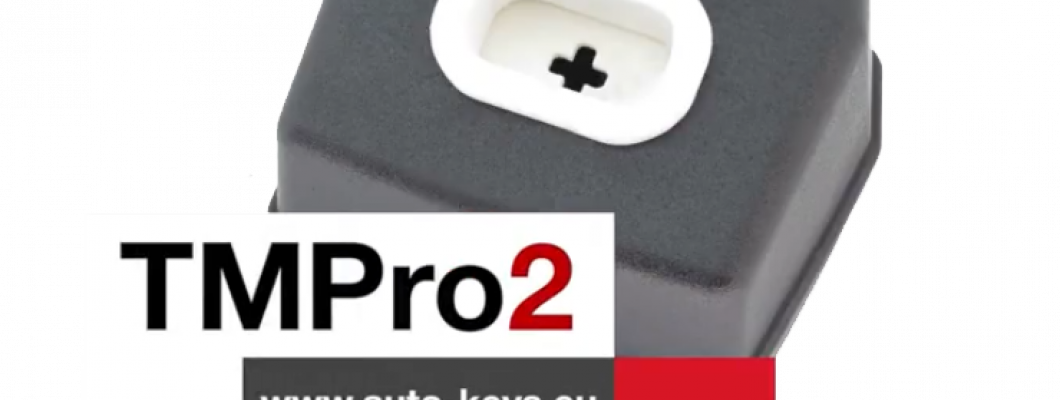
What is TMPro 2
Transponder Maker Pro (also known as TMPro keymaker or TMPro2 keymaker) are softwares for transponder key making,transponder key programming,transponder key copying and PIN code/security code calculating.Protection programmer is small box, which have to be connected to free PC USB port.Software user interface supports 10 languages - Bulgarian,English,French,Portuguese, Polish, Hungarian, Spanish, Serbian, Italian and Czech.They are simply to use and offer wide range of softwares that supports various immoboxes and keys. All softwares are auto-updateable to latest version available on server.At start of software it checks if there is new version released.If released,software automatically updates itselfs,this way you always run latest versions. TMPro2 softwares are designed to help in locksmith`s job.
TMPro 2 is a module based device.Which let you buy the base hardware and then add only the modules you need.
The Basic TMPro kit contains:
- TMPro programmer
- Cables and adaptors for programing microcontrolers and memmories
- USB cable type A to B
- Software for instalation on computer
- Orange5 case
How to use it?
- Connect TMPro to the adapter using via the cable
- Connect TMPro to the computer using the USB cable
How to install the software for TMPro 2?
Follow the steps:
- Disable the driver signature for windows.
- Go to the start menu , in the search box type CMD , right click on Command Promnt and select Run as administrator.Click Yes if Windows ask for permition.
- Inside the opened window you need to type the following 3 lines,and press Enter after every single line:
- bcdedit /set testsigning on
- bcdedit -set loadoptions DDISABLE_INTEGRITY_CHECKS
- bcdedit.exe - set TESTSIGNING ON
- Click here to download the drivers from our website.
- Click here to download the software from our website.
- In your Device Manager tab will appear Other devices, click it to expand and you should see the "Orange5".
- Open My Computer , open drive C: , make a new folder called TMpro2.Extract the downloaded archives in that folder(C:\TMpro2).
- Open TMPro2software folder, and right click on the TMPro2.exe file. Select send to Desktop to create a shortcut for the software on your Desktop.
- Go to your Desktop, right click on My Computer and select Manage.
- From the opened window click on Device Manager.
- Connect your TMPro2 with your computer with the USB cable.
- On the window(Computer Management), choose Other devices and your Transponder Maker Pro should appear. If it does not appear then try to plug the cable out and in again.
- Press the right button on your mouse and choose Update Driver Software.
- Click Browse my computer for driver software.
- Click Let me pick from a list of device drivers, press Next.
- Click on Have Disk, click Browse, go to My Computer, click on Lockal Disk(C:), click on TMpro2 folder.
- Open the TMPro2Drivers folder, choose the ftdibus file and click Open
- On the window Install From Disk press Ok, press Next.
- Click Install this driver anyway. The instalation may take a while so please be patient.
- When the instalation is over, click Close
TMPro2 is now ready for work!
If you are trying to run TMPro software BEFORE installing of USB drivers, you will face this error: “Program cannot start because FTD2XX.dll is missing”.
If in left down corner of software you see message “Hardware NOT found“, this means that something with driver instalation is wrong.
Restart computer and try again with installation.You can check if hardware installation is good – in Device Manager – USB devices – you have to find “Transponder Maker Pro 2“.
NOTE about automatic updates:
- If you are running version of main software 2.352 and older, automatic software update will not work.
- To enable automatic updates: at first you must DELETE this old version of software.
- Then automatic software update will work again and you will receive updates.
NOTE for owners of older hardware without round 8-pin connector:
If you wish to upgrade your hardware for to use full functionality, you must buy upgrade set.
How to upgrade your TMPro with the new and improved interface:
- If you dont have TMPro renew kit go to : auto-keys.eu. You will need TMPro renew kit, Soldering and Screwdrivers.
- Disassemble your old TMPro:
- Remove the 2 body holder screws. They are on the back of the TMPro.
- With hands remove the port. Do not use too much force.Be carefull not to damage the wire connector inside.
- Desolder the wire connector.
Use the soldering iron to desolder the wire connector. - Separate the PCB from the board.
Remove the screws using screwdriver. - Prepare the new TMPro.
Disassemble your new TMPro interface into 3 components. - Attach the PCB to the board using screwdriver.
- Place the Connnector into its socket and fix it with the nut.
- Place the botton cover and use a screwdriver to fix it in possition.
- Use soldering iron to solder the coil with the wire connector.
- Possition the coil into the socket and press down with your hands untill its fixed into place.
For more videos about TMPro 2 check our youtube channel here
1712 Comment(s)
창원출장마사지.언제 어디서든 가능한 힐링마사지입니다.
The allpanelexch app topic provides useful context for readers exploring mobile access. It is wise to verify the publisher, inspect permissions, and avoid downloading files from unknown websites online.
The all pane keyword may produce broad search results, so checking context and source reliability is worthwhile. Readers should verify domains and avoid submitting private information unnecessarily online.
Fairplay cricket match preview today may refer to information published before a scheduled fixture. A preview can discuss team form, player statistics, venue conditions, and previous meetings. These factors can provide useful background without making the final outcome certain. Readers should treat predictions as analysis rather than guarantees.
Online match details can bring together important information about a cricket fixture. Readers may find scores, team information, player statistics, and match results useful when reviewing a game. Fairplay cricket match details online can make this information easier to access. Well-organized match details are valuable for both casual followers and statistics-focused readers.
Competition results help cricket followers track the outcomes of fixtures throughout a tournament or league. Results can influence standings and provide information about team performance. Fairplay cricket competition results can be useful when reviewing the progress of a competition. Looking at results across multiple rounds gives a broader perspective.
부산출장마사지를 이용할 때는 단순히 부산이라는 지역명만 확인하기보다 해운대·센텀권, 서면·부산진권, 광안리·수영권, 남포·부산역권 중 어디에 위치해 있는지 확인하는 것이 좋습니다.
부산출장마사지를 이용할 때는 단순히 부산이라는 지역명만 확인하기보다 해운대·센텀권, 서면·부산진권, 광안리·수영권, 남포·부산역권 중 어디에 위치해 있는지 확인하는 것이 좋습니다.
The information here is presented in a fairly straightforward way. Gold365 login is an important topic for existing account users, particularly when they encounter access difficulties. Guidance covering passwords, sign-in steps, and basic troubleshooting can help users approach these issues with greater clarity.
Matchbox9 is marketed as an online sports betting exchange and gaming platform. Its primary focus is sports wagering, with cricket appearing to be one of its major areas of coverage.
https://matchbox9s.com/
Diamondexch99 is a name associated with the online sports betting sector, offering users an internet-based environment for exploring sports markets and wagering options.
https://diamondexchcom.com/diamondexch99/
Tigerexch247 is presented online as a sports betting platform offering access to betting markets connected with popular sporting events.
A helpful post for anyone researching 11xplay. The writer has presented the information in a simple and organized manner, making the article comfortable to read and easy to understand.
This article provides helpful general information about 11xplay login. I like the concise writing and clear structure, which make the discussion easy for readers to understand and follow.
This article provides useful background concerning 11xplay com login. The straightforward wording makes the topic accessible, while the organized presentation helps readers follow the information without confusion.
A laser247 apk search is relevant to mobile gaming, but users should inspect the download source and requested permissions before installing any application.
창원출장마사지.집에서 편안하게 받을수있는 출장마사지 입니다..
창원출장마사지.집에서 편안하게 받을수있는 출장마사지 입니다..
창원출장마사지.언제 어디서든 가능한 힐링마사지입니다.
창원출장마사지.언제 어디서든 가능한 힐링마사지입니다.
Leave a Comment